From real-time chat and video to ready-made communication solutions and AI agents for automated workflows, QuickBlox provides the tools to power modern communication experiences.
Build, launch, and automate from a single platform.
Start Free Trial Book a Demo
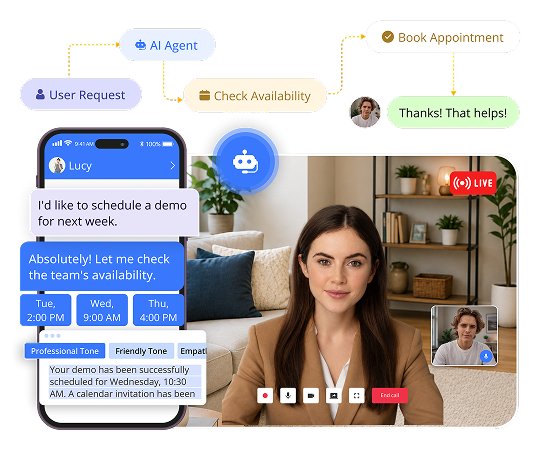

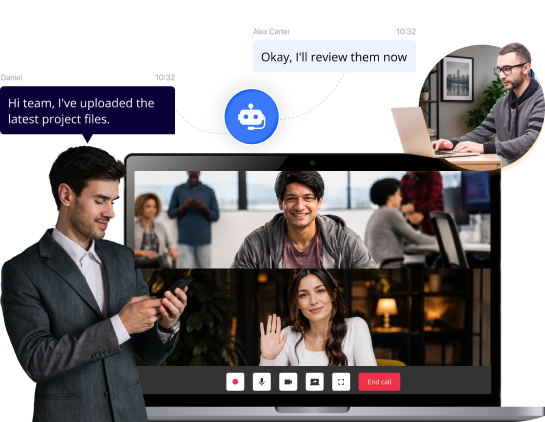
QuickBlox brings together chat & video APIs, white-label communication apps, and AI agents — on a single platform.
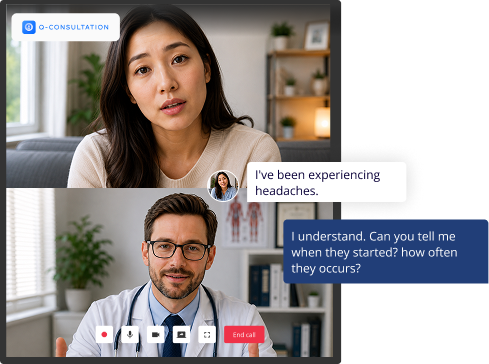
Build custom communication experiences
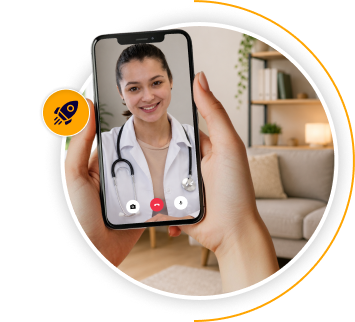
Launch faster with a white-label communication solution
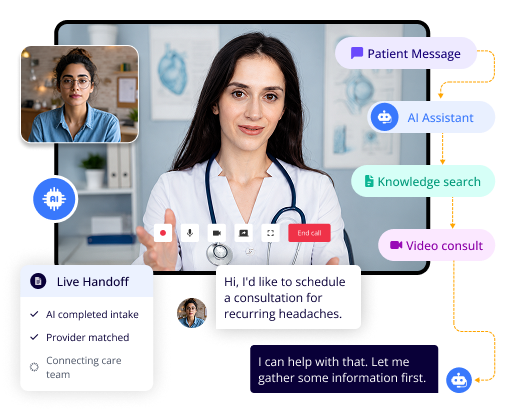
Automate support and workflows
Over 30,000 software developers and organizations worldwide are using QuickBlox messaging API
Applications Enrolled
Chats per day
Requests per month
Whether you’re building from scratch, accelerating time to market, or launching without a development team, QuickBlox offers a path that fits your needs.
Build with APIs, SDKs, UI Kits, code samples, and a developer sandbox.
Best for:
Development teams building custom communication experiences.
Start with Q-Consultation, our ready-made communication platform, and customize it to fit your brand and workflows.
Best for:
Organizations that want to accelerate time to market.
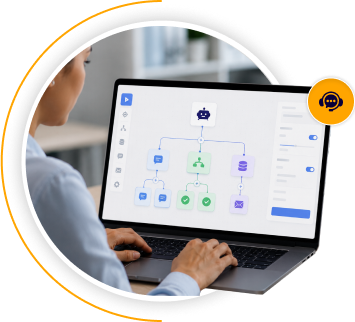
Create AI agents using a no-code workflow builder and connect them to your communication channels and business processes.
Best for:
Teams looking to automate support and workflows.
From telehealth and patient communication to HIPAA-compliant AI and secure hosting, QuickBlox helps healthcare organizations meet the unique demands of regulated environments.
Build secure communication into healthcare applications.
Learn More →QuickBlox is designed with developers in mind—with clear documentation, robust SDKs, and sample code to help you launch faster.
import SwiftUI
import Quickblox
import QuickBloxUIKit
let APP_ID: UInt = 0 // "your_application_id"
let APP_KEY = "your_auth_key"
let APP_SECRET = "your_auth_secret"
let ACCOUNT_KEY = "your_account_key"
let USER_LOGIN = "your_user_login"
let USER_PASSWORD = "your_user_password"
final class QuickBloxUIKitViewModel: ObservableObject {
public enum State { case authorized, loading }
@Published var state: State = .loading
init() {
Quickblox.initWithApplicationId(APP_ID,
authKey: APP_KEY,
authSecret: APP_SECRET,
accountKey: ACCOUNT_KEY)
Task { try await authorize() }
}
@MainActor public func authorize() async throws {
try await QBRequest.login(USER_LOGIN, password: USER_PASSWORD)
state = .authorized
}
}
struct QuickBloxUIKitView: View {
@StateObject var viewModel = QuickBloxUIKitViewModel()
var body: some View {
switch viewModel.state {
case .loading: ProgressView()
case .authorized: QuickBloxUIKit.dialogsView()
}
}
}
@main struct Application: App {
var body: some Scene {
WindowGroup { QuickBloxUIKitView() }
}
}
//Init SDK
private const val APPLICATION_ID = "your_application_id"
private const val AUTH_KEY = "your_auth_key"
private const val AUTH_SECRET = "your_auth_secret"
private const val ACCOUNT_KEY = "your_account_key"
class App : Application() {
override fun onCreate() {
super.onCreate()
QBSDK.init(applicationContext, APPLICATION_ID, AUTH_KEY, AUTH_SECRET, ACCOUNT_KEY)
}
}
//Place in your project where you want to integrate the QuickBlox UI Kit
//Authenticate user and init UI Kit
class MainActivity : AppCompatActivity() {
override fun onCreate(savedInstanceState: Bundle?) {
super.onCreate(savedInstanceState)
setContentView(R.layout.activity_main)
val user = QBUser()
user.login = "userlogin"
user.password = "userpassword"
QBUsers.signIn(user).performAsync(object : QBEntityCallback {
override fun onSuccess(user: QBUser?, bundle: Bundle?) {
// init Quickblox UIKit
QuickBloxUiKit.init(applicationContext)
// show Dialogs screen
DialogsActivity.show(this@MainActivity)
}
override fun onError(exception: QBResponseException?) {
// handle exception
}
})
}
}
import React, { useEffect } from 'react';
// @ts-ignore
import * as QB from "quickblox/quickblox";
import {
QuickBloxUIKitProvider,
qbDataContext,
QuickBloxUIKitDesktopLayout, LoginData, AuthorizationData, QBDataContextType,
} from 'quickblox-react-ui-kit';
import { QBConfig } from './QBconfig';
import './App.css';
function App() {
const currentUser: LoginData = {
login: '',
password: '',
};
const qbUIKitContext: QBDataContextType = React.useContext(qbDataContext);
const [isUserAuthorized, setUserAuthorized] = React.useState(false);
const [isSDKInitialized, setSDKInitialized] = React.useState(false);
const prepareSDK = async (): Promise => {
// check if we have installed SDK
if ((window as any).QB === undefined) {
if (QB !== undefined) {
(window as any).QB = QB;
} else {
let QBLib = require('quickblox/quickblox.min');
(window as any).QB = QBLib;
}
}
const APPLICATION_ID = QBConfig.credentials.appId;
const AUTH_KEY = QBConfig.credentials.authKey;
const AUTH_SECRET = QBConfig.credentials.authSecret;
const ACCOUNT_KEY = QBConfig.credentials.accountKey;
const CONFIG = QBConfig.appConfig;
QB.init(APPLICATION_ID, AUTH_KEY, AUTH_SECRET, ACCOUNT_KEY, CONFIG);
};
useEffect(() => {
if (!isSDKInitialized) {
prepareSDK().then(result => {
QB.createSession(currentUser, async function (errorCreateSession: any, session: any) {
if (errorCreateSession) {
console.log('Create User Session has error:', JSON.stringify(errorCreateSession));
} else {
const userId: number = session.user_id;
const password: string = session.token;
const paramsConnect = { userId, password };
QB.chat.connect(paramsConnect, async function (errorConnect: any, resultConnect: any) {
if (errorConnect) {
console.log('Can not connect to chat server: ', errorConnect);
} else {
const authData: AuthorizationData = {
userId: userId,
password: password,
userName: currentUser.login,
sessionToken: session.token
};
await qbUIKitContext.authorize(authData);
setSDKInitialized(true);
setUserAuthorized(true);
}
});
}
});
}).catch(
e => {
console.log('init SDK has error: ', e)
});
}
}, []);
return (
<div>
<QuickBloxUIKitProvider
maxFileSize={100 * 1000000}
accountData={{ ...QBConfig.credentials }}
qbConfig={{ ...QBConfig }}
loginData={{
login: currentUser.login,
password: currentUser.password,
}}
>
<div className="App">
{
// React states indicating the ability to render UI
isSDKInitialized && isUserAuthorized
?
<QuickBloxUIKitDesktopLayout />
:
<div>wait while SDK is initializing...</div>
}
</div>
</QuickBloxUIKitProvider>
</div>
);
export default App;
Add HIPAA-compliant chat and video to your telehealth platform, deploy a ready-made consultation solution with Q-Consultation, and use AI Agents to automate patient intake, appointment reminders, and clinical FAQs — all from a single, compliant infrastructure.
Learn more
Provide secure, real-time communication between clients and advisors with customizable chat and video features. Add AI chatbots to handle common inquiries and integrate seamlessly with your existing banking systems.
Learn more
Connect buyers and sellers with real-time chat, audio, and video. Use AI chatbots to handle FAQs, guide shoppers, and provide instant support—boosting engagement and driving conversions.
Learn more
Enable rich one-on-one and group communication with chat, voice, and video. Enhance conversations with AI-powered message rephrasing and real-time translation to break language barriers.
Learn more
Facilitate live interaction between students & teachers or coaches with clients, with built-in chat and video tools. Use AI assistants to support learning, answer common questions, and personalize the experience.
Learn moreQuickBlox offers flexible, enterprise-grade infrastructure to support complex apps, high user volumes, and custom feature requirements—across any industry
QuickBlox Shared Cloud
Private Cloud
On Premise
Our real-time chat and messaging solutions scale as your business grows, and can be customized to create 100% custom in-app messaging.
Start Free Trial Contact Sales
QuickBlox provides secure, customizable communication tools — including chat, video, and AI assistants — that businesses can integrate into their apps and websites. We specialize in HIPAA-compliant solutions for healthcare.
QuickBlox offers tiered support based on your subscription plan. For customers on shared cloud plans we offer access to a Help Center, community support, and a ticketing system. Enterprise clients benefit from a dedicated account manager and 24/7 priority support with SLAs.
Absolutely! QuickBlox is trusted by many healthcare providers who have integrated our chat and video calling functionality into their telemedicine platforms. Our white label solution, Q-Consultation, offers HIPAA compliant communication with virtual meeting rooms, AI automation, and AI assistants.
Trusted by highly regulated industries like healthcare and finance, QuickBlox is built for security. Our platform is HIPAA-compliant and SOC2 certified, ensuring high data protection standards. We also offer on-premises deployment, and Disaster Recovery/High Availability (DR/HA) options to keep your communication systems secure, resilient, and always available.
Integrating QuickBlox into your app is simple. We provide an intuitive dashboard and clear, step-by-step documentation to help you quickly add chat, video, voice, and AI assistant functionality to your app — whether you\\\'re building for web, iOS, Android, or cross-platform.
QuickBlox offers a free Basic Plan valid for 3 months. It’s a great way to explore our platform, test core features like chat and video calling, and see how our solution fits your needs — without having to pay upfront costs.
QuickBlox offers a range of pricing plans to accommodate various business needs and budgets, from startups to large enterprises. Check our QuickBlox Pricing page.
Yes you can. QuickBlox offers flexible UI Kits, full-featured QuickBlox SDKs, and AI assistants that allow you to customize features to match your brand. You can adjust color themes, fonts, icons, and even implement custom UI components to create a unique user experience.